
Digital site documentation for the trades
for all trades
ready to go on day 1
save 4 to 8 hours a week
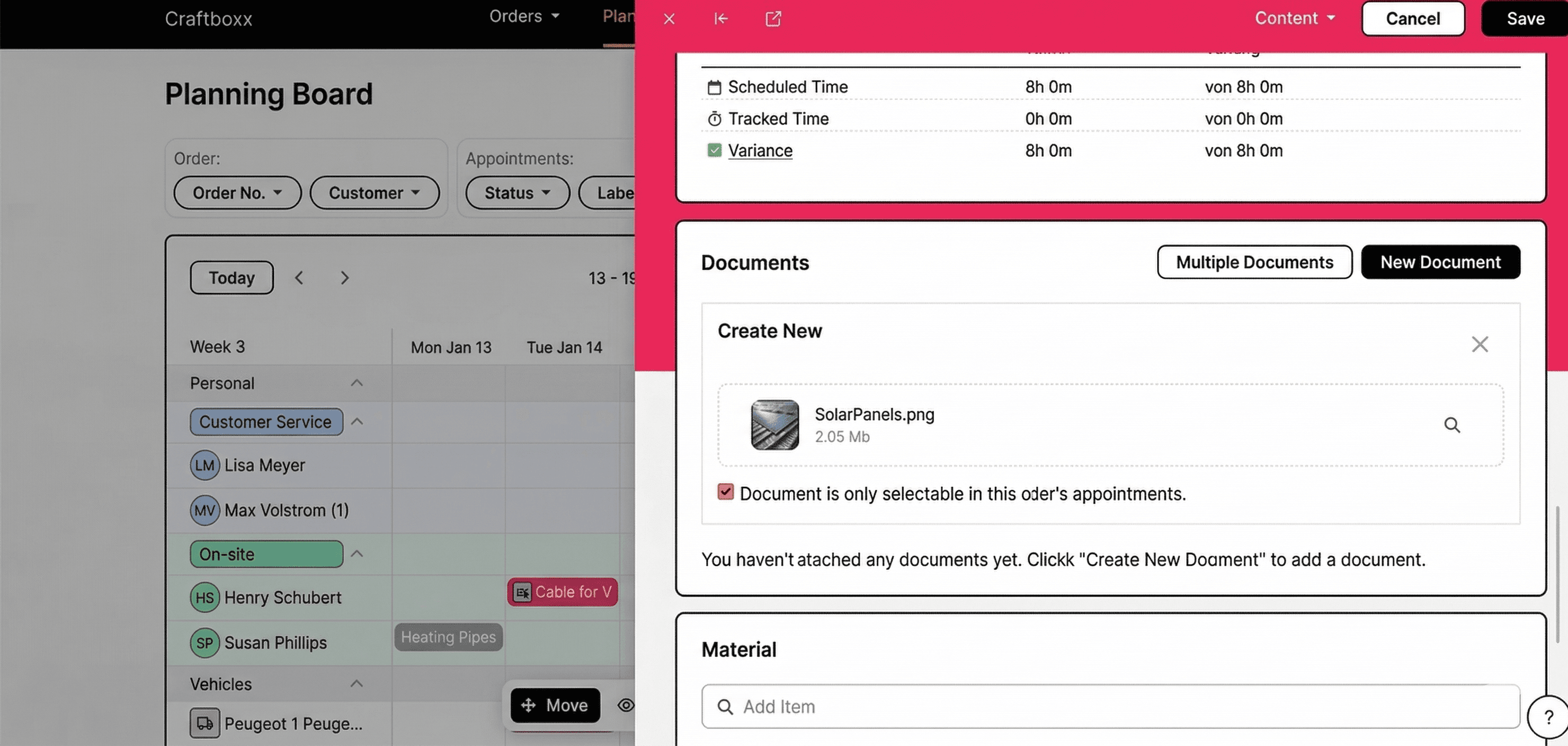
Documenting the job site is key to finishing the job. It lets you record the original condition and every step of the work. It also helps you handle any complaints because both sides use the same info.
With Craftboxx, you can also add notes to your docs. You can even add drawings or edit existing PDFs. Plus, you can track materials used and time spent.
These customers trust us











Job site documentation via software and app
Photo documentation made easy
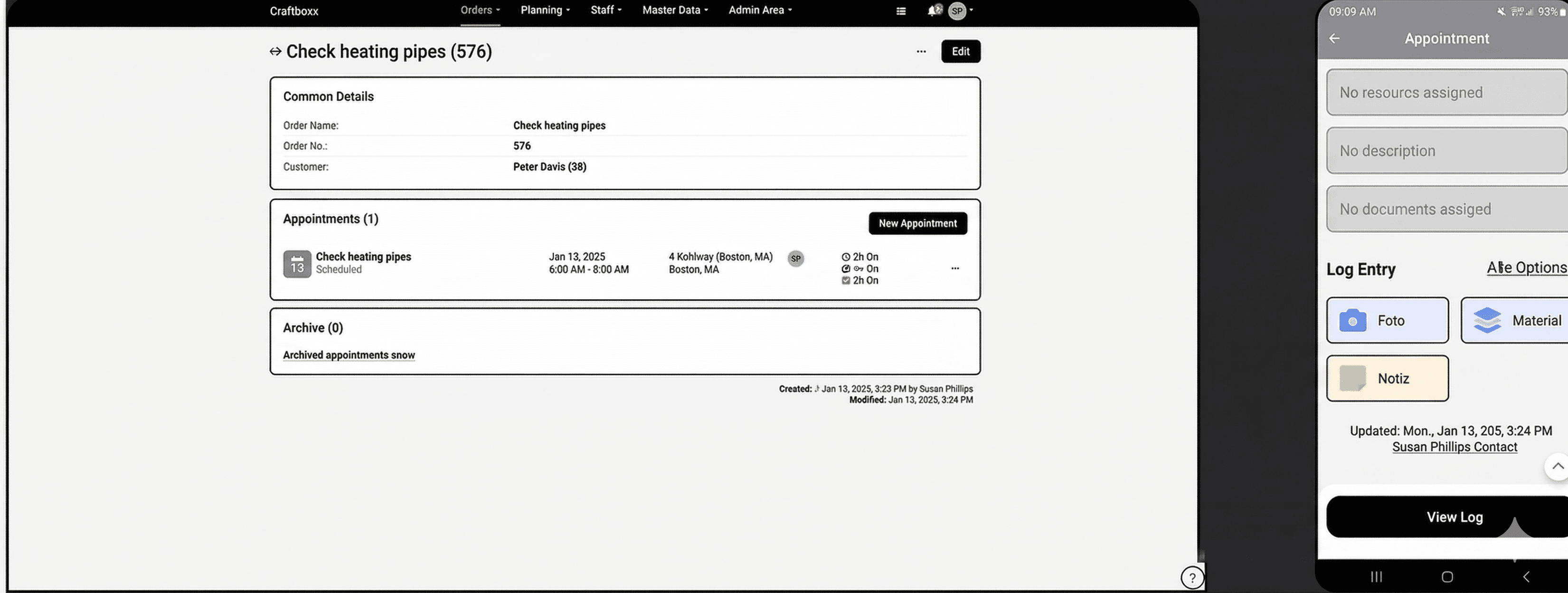
Document work on-site using your phone. You can add photos directly to an appointment. This way, you record every step and avoid liability claims.
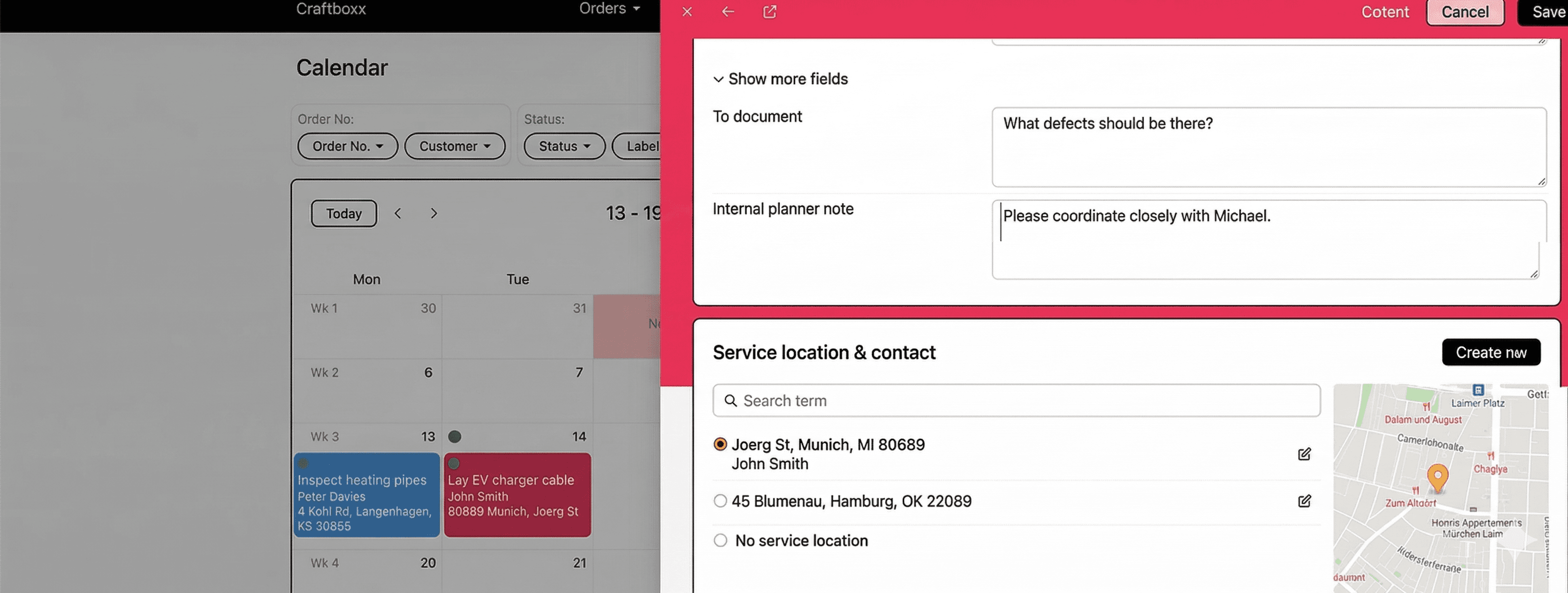
Add important info with notes
Add written notes to your appointments—it's easy with the text field. It's perfect for explaining delays, recording special details or keeping a log of other important info.
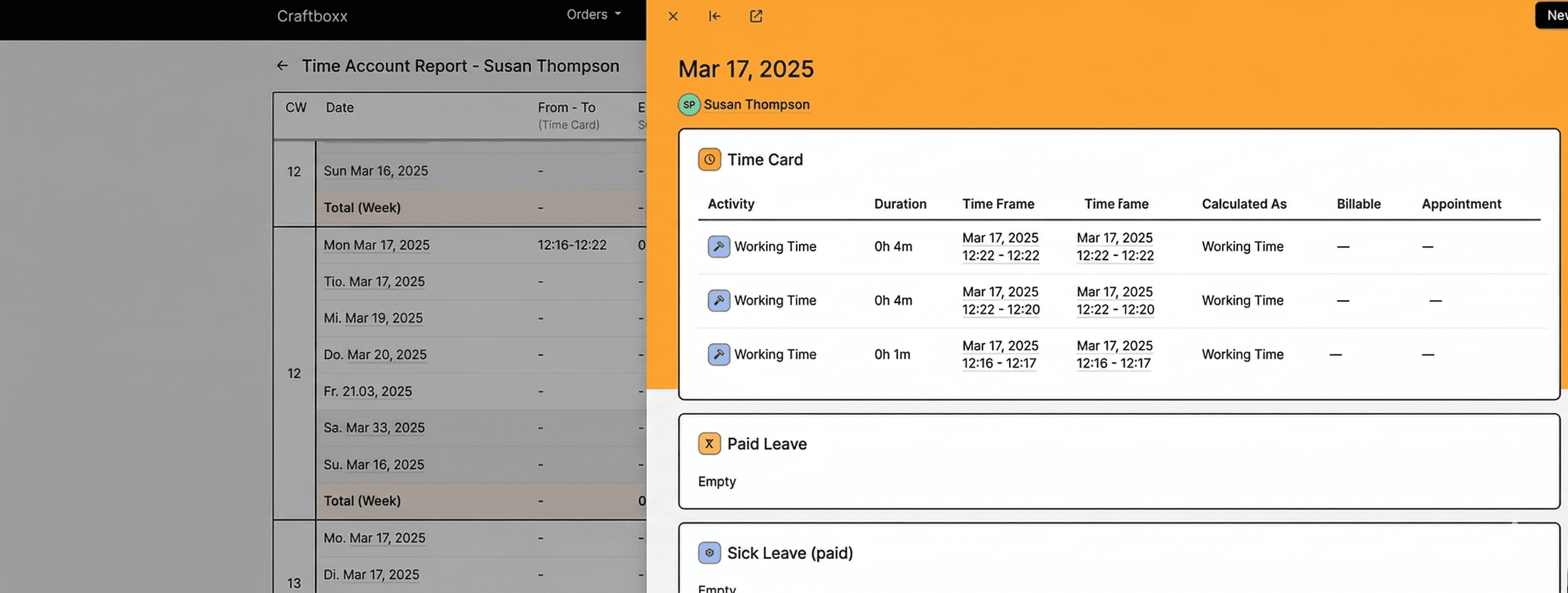
Work and project documentation in just a few clicks
With built-in time tracking, you can document work and breaks. You can even track other parts of the day like drive time.
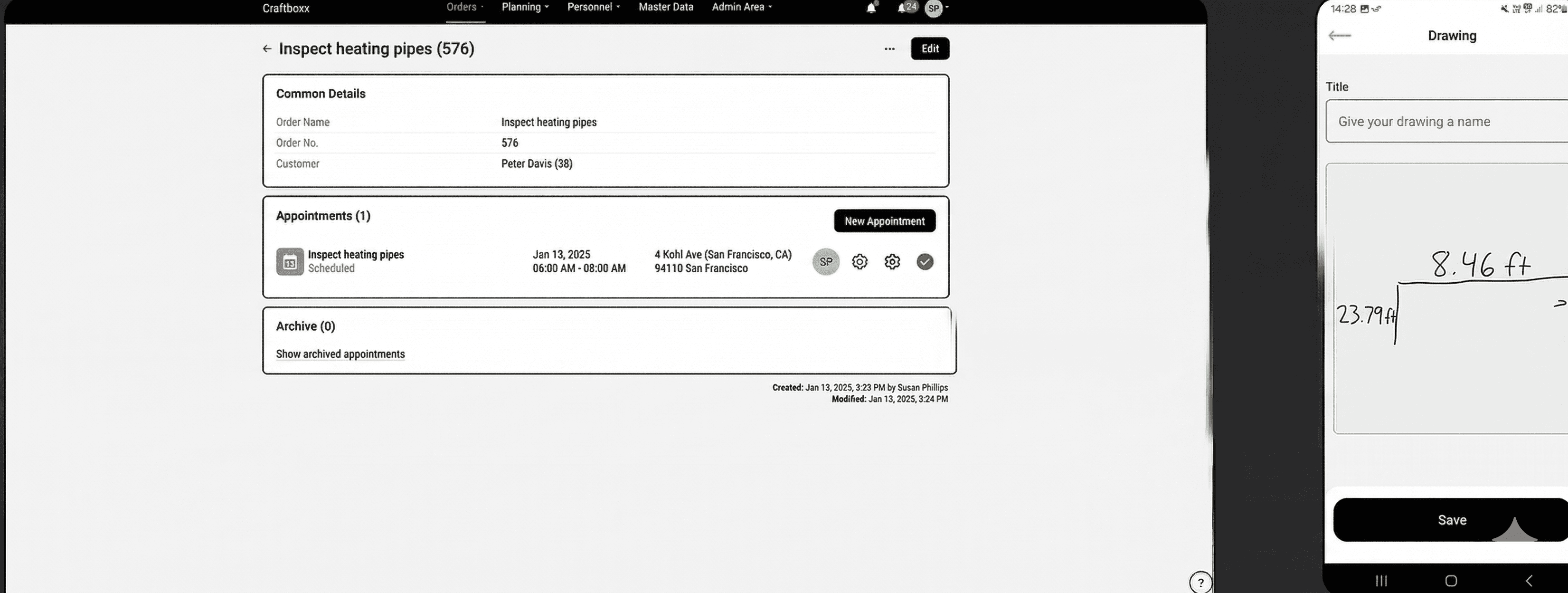
Add freehand drawings to your documentation
Add helpful drawings to any appointment. Just use your finger or a stylus on your mobile device. This helps you make technical notes or show changes on-site visually.
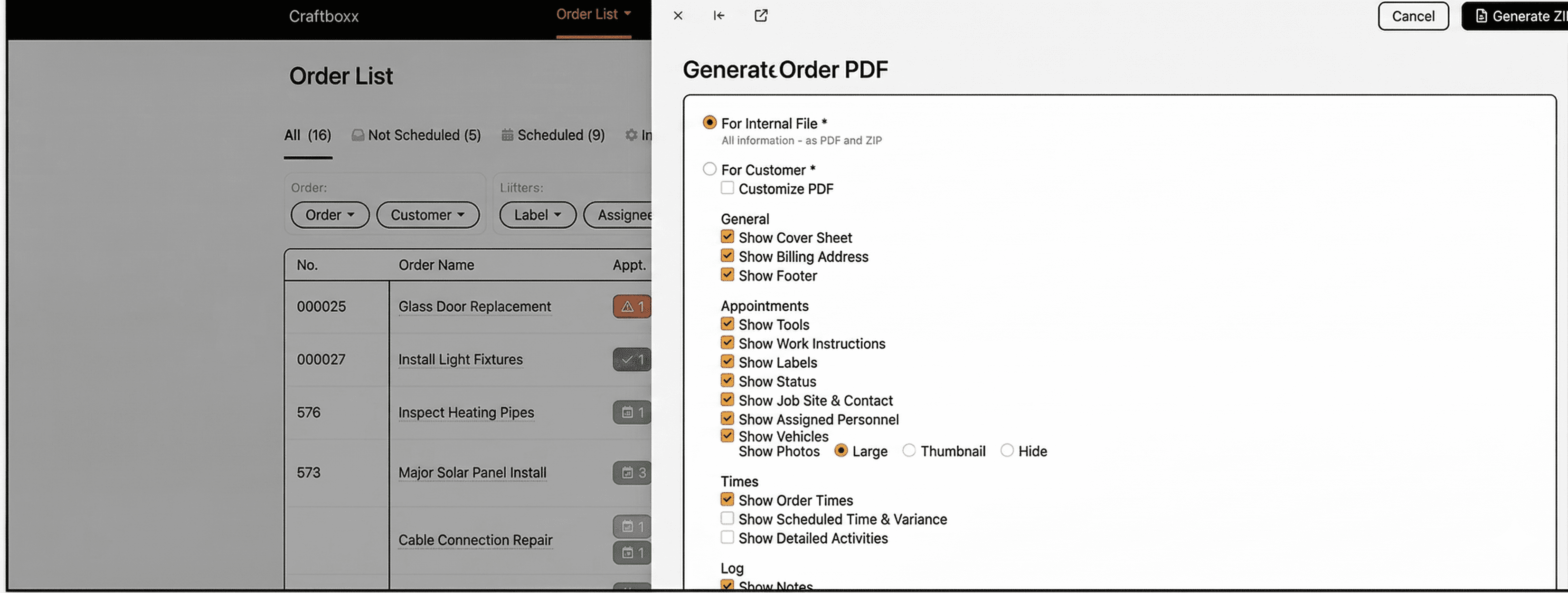
Edit PDF documents
On Apple devices, you can upload, edit and add notes to PDF documents. On Android, this works great using third-party apps.
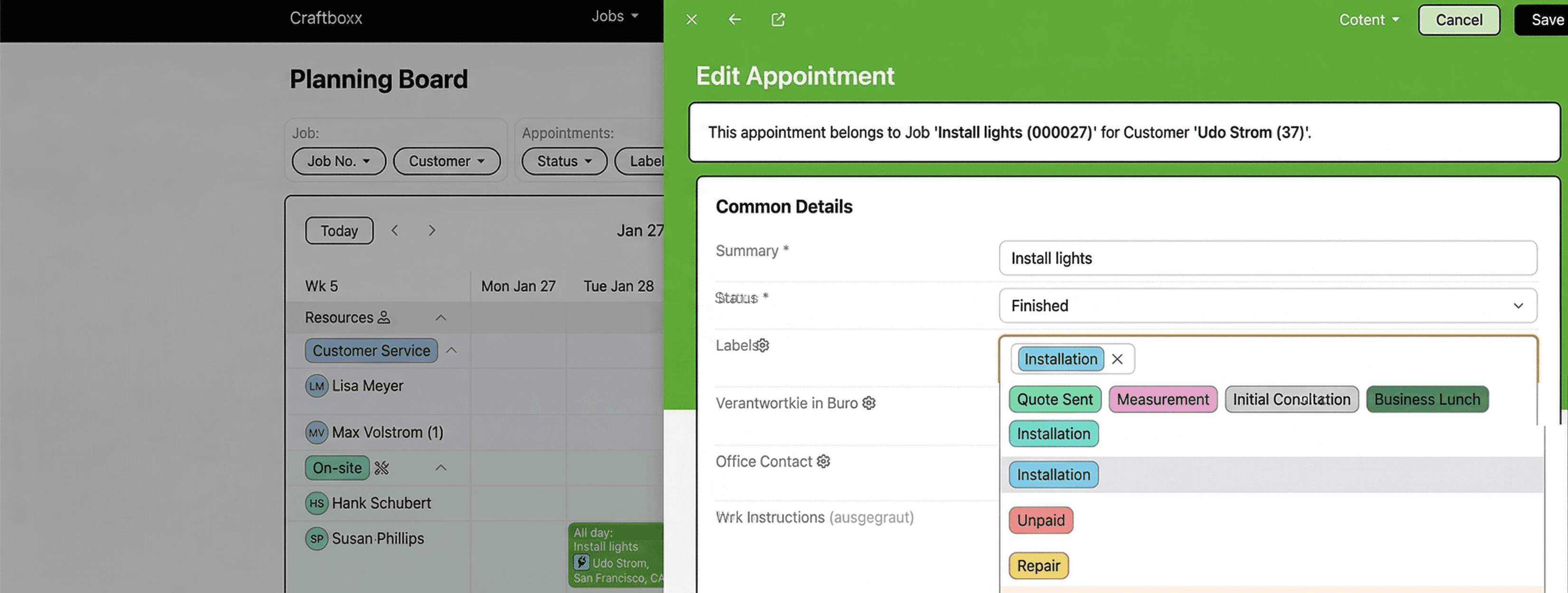
Complete documentation
From the first talk to the final invoice—all data is saved continuously in the cloud. It's easy to track everything for later proof or reviews without digging through folders by hand.
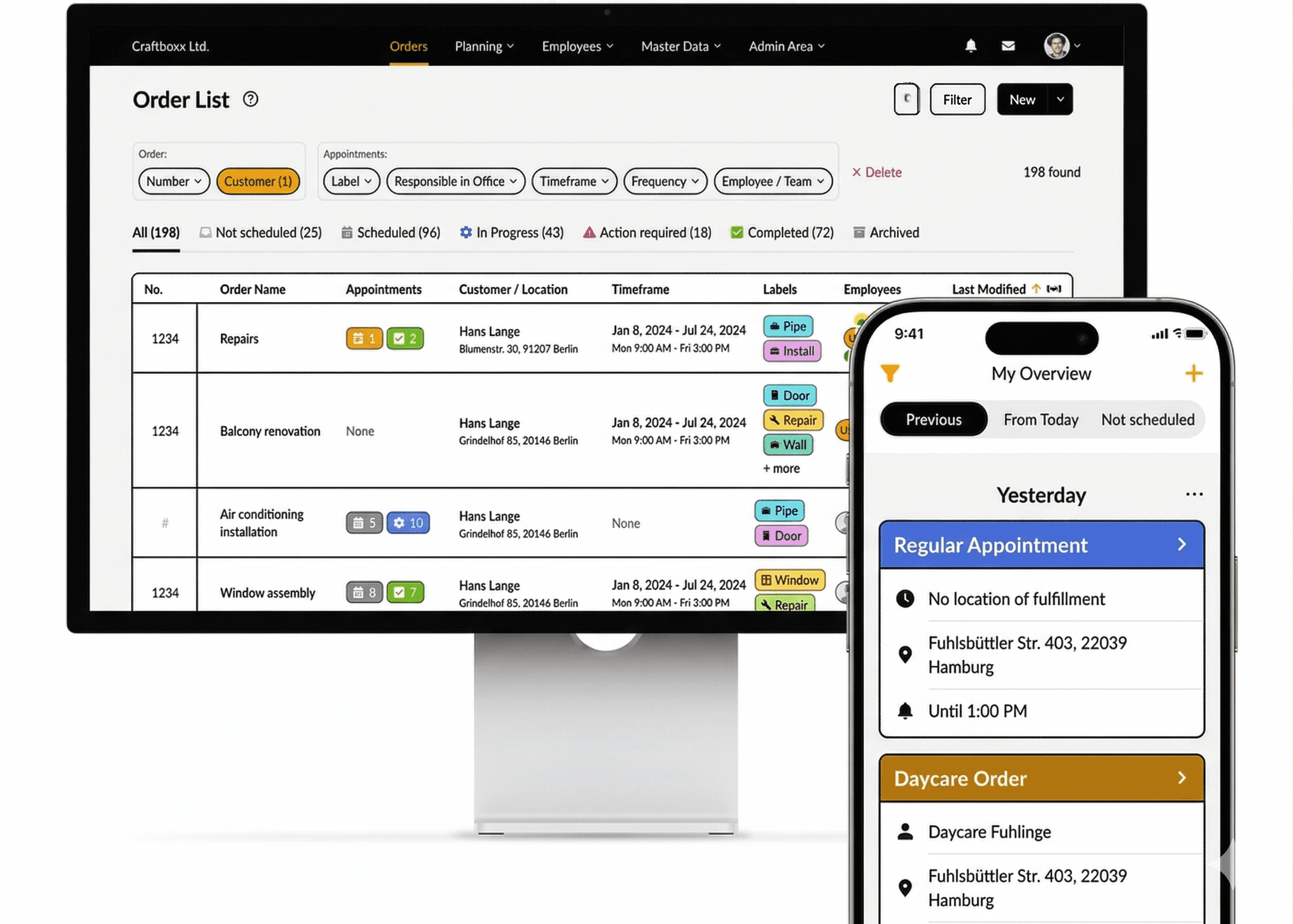
Your trade with Craftboxx

Management
Track every job completely
Digital time tracking included
One tool for all locations
Finally, digital planning
Management
Track every job completely
Digital time tracking included
One tool for all locations
Finally, digital planning

In the office
Organize upcoming work better
Plan and document jobs
Manage time off more easily
Move your business forward digitally
Happier customers
In the office
Organize upcoming work better
Plan and document jobs
Manage time off more easily
Move your business forward digitally
Happier customers

On the job site
Easy documentation and sign-off on-site
Track work hours and time off
Well-planned work at last
On the job site
Easy documentation and sign-off on-site
Track work hours and time off
Well-planned work at last
How do customers like Craftboxx?
PF
Patrick Fialkowski
"A very attractive and user-friendly program for our employees, especially for the planners in the office. Clear order planning and much more. Excellent customer service."
SH
Sascha Hotz
"Perfect for owners of small craft businesses. Craftboxx makes our scheduling, organization, and documentation much easier. Everything is presented in a really simple and self-explanatory way. The pricing is absolutely fair."
RD
Robert Dörmer
"The response has been excellent. We have included Craftboxx in our digital package for tradespeople. The response has been excellent, and communication is absolutely outstanding. I can highly recommend Craftboxx!"
ZU
ZickZack UG&CoKG
"We are very satisfied and can only recommend this tool. We are very satisfied and have been using the tool for six months now. We plan all orders and document them with the corresponding customer signature. What's particularly great is that the app is intuitive to use. Any questions we had were answered immediately. We look forward to continuing this uncomplicated collaboration."
SKG
Firma SKG
We use the app in our 11-person company. As an assembly company, it's a great thing because the transmission works down to the minute. The app is clear, easy to use, and very functional. With planner access, new orders can be added or discussed on the phone at any time. The log can then be created once for the file and once for the customer. The best thing is the young company in the back office. They are willing to accept practical advice from the "front line" and are committed to further development and responding to the needs of practitioners. We are very satisfied and have already recommended the app several times." *** Translated with www.DeepL.com/Translator (free version) ***
SKR
SKR Fahrbahnmarkierung
Craftboxx is a wonderful tool for construction site planning. In addition to vehicles, employees, and tools, materials and material consumption can also be organized very easily. The support is also SUPER. If something needs to be done or a change makes sense, it is implemented quickly!
MP
Marco Papenberg
"We are completely satisfied with this app! We have been planning and implementing our activities with Craftboxx for about a year now. There is nothing to complain about. Thanks to this digital planning and evaluation, we have been able to save on a full-time employee. Kudos to the developers!"
SA
Schuster Aufzugsdienste
"Super useful program. Top-notch support and quick help at any time. Very efficient when it comes to organizing staff and appointments. Very easy to use and super simple and clear for employees and planners."
JS
Jeremia
SevenCable GmbHCraftboxx exceeded our expectations. We spent a long time searching for the right software to make work easier for our field and office staff. Craftboxx has even exceeded our expectations in this regard. From the planning and execution of projects and orders to their documentation and archiving, we believe this program is unbeatable. Craftboxx is designed to be extremely user-friendly thanks to its intuitive structure, and the introduction and integration of the system into our existing business went smoothly and without many questions from staff." *** Translated with www.DeepL.com/Translator (free version) ***
PF
Patrick Fialkowski
"A very attractive and user-friendly program for our employees, especially for the planners in the office. Clear order planning and much more. Excellent customer service."
SH
Sascha Hotz
"Perfect for owners of small craft businesses. Craftboxx makes our scheduling, organization, and documentation much easier. Everything is presented in a really simple and self-explanatory way. The pricing is absolutely fair."
RD
Robert Dörmer
"The response has been excellent. We have included Craftboxx in our digital package for tradespeople. The response has been excellent, and communication is absolutely outstanding. I can highly recommend Craftboxx!"
ZU
ZickZack UG&CoKG
"We are very satisfied and can only recommend this tool. We are very satisfied and have been using the tool for six months now. We plan all orders and document them with the corresponding customer signature. What's particularly great is that the app is intuitive to use. Any questions we had were answered immediately. We look forward to continuing this uncomplicated collaboration."
SKG
Firma SKG
We use the app in our 11-person company. As an assembly company, it's a great thing because the transmission works down to the minute. The app is clear, easy to use, and very functional. With planner access, new orders can be added or discussed on the phone at any time. The log can then be created once for the file and once for the customer. The best thing is the young company in the back office. They are willing to accept practical advice from the "front line" and are committed to further development and responding to the needs of practitioners. We are very satisfied and have already recommended the app several times." *** Translated with www.DeepL.com/Translator (free version) ***
SKR
SKR Fahrbahnmarkierung
Craftboxx is a wonderful tool for construction site planning. In addition to vehicles, employees, and tools, materials and material consumption can also be organized very easily. The support is also SUPER. If something needs to be done or a change makes sense, it is implemented quickly!
MP
Marco Papenberg
"We are completely satisfied with this app! We have been planning and implementing our activities with Craftboxx for about a year now. There is nothing to complain about. Thanks to this digital planning and evaluation, we have been able to save on a full-time employee. Kudos to the developers!"
SA
Schuster Aufzugsdienste
"Super useful program. Top-notch support and quick help at any time. Very efficient when it comes to organizing staff and appointments. Very easy to use and super simple and clear for employees and planners."
JS
Jeremia
SevenCable GmbHCraftboxx exceeded our expectations. We spent a long time searching for the right software to make work easier for our field and office staff. Craftboxx has even exceeded our expectations in this regard. From the planning and execution of projects and orders to their documentation and archiving, we believe this program is unbeatable. Craftboxx is designed to be extremely user-friendly thanks to its intuitive structure, and the introduction and integration of the system into our existing business went smoothly and without many questions from staff." *** Translated with www.DeepL.com/Translator (free version) ***
PF
Patrick Fialkowski
"A very attractive and user-friendly program for our employees, especially for the planners in the office. Clear order planning and much more. Excellent customer service."
SH
Sascha Hotz
"Perfect for owners of small craft businesses. Craftboxx makes our scheduling, organization, and documentation much easier. Everything is presented in a really simple and self-explanatory way. The pricing is absolutely fair."
RD
Robert Dörmer
"The response has been excellent. We have included Craftboxx in our digital package for tradespeople. The response has been excellent, and communication is absolutely outstanding. I can highly recommend Craftboxx!"
ZU
ZickZack UG&CoKG
"We are very satisfied and can only recommend this tool. We are very satisfied and have been using the tool for six months now. We plan all orders and document them with the corresponding customer signature. What's particularly great is that the app is intuitive to use. Any questions we had were answered immediately. We look forward to continuing this uncomplicated collaboration."
SKG
Firma SKG
We use the app in our 11-person company. As an assembly company, it's a great thing because the transmission works down to the minute. The app is clear, easy to use, and very functional. With planner access, new orders can be added or discussed on the phone at any time. The log can then be created once for the file and once for the customer. The best thing is the young company in the back office. They are willing to accept practical advice from the "front line" and are committed to further development and responding to the needs of practitioners. We are very satisfied and have already recommended the app several times." *** Translated with www.DeepL.com/Translator (free version) ***
SKR
SKR Fahrbahnmarkierung
Craftboxx is a wonderful tool for construction site planning. In addition to vehicles, employees, and tools, materials and material consumption can also be organized very easily. The support is also SUPER. If something needs to be done or a change makes sense, it is implemented quickly!
MP
Marco Papenberg
"We are completely satisfied with this app! We have been planning and implementing our activities with Craftboxx for about a year now. There is nothing to complain about. Thanks to this digital planning and evaluation, we have been able to save on a full-time employee. Kudos to the developers!"
SA
Schuster Aufzugsdienste
"Super useful program. Top-notch support and quick help at any time. Very efficient when it comes to organizing staff and appointments. Very easy to use and super simple and clear for employees and planners."
JS
Jeremia
SevenCable GmbHCraftboxx exceeded our expectations. We spent a long time searching for the right software to make work easier for our field and office staff. Craftboxx has even exceeded our expectations in this regard. From the planning and execution of projects and orders to their documentation and archiving, we believe this program is unbeatable. Craftboxx is designed to be extremely user-friendly thanks to its intuitive structure, and the introduction and integration of the system into our existing business went smoothly and without many questions from staff." *** Translated with www.DeepL.com/Translator (free version) ***
PF
Patrick Fialkowski
"A very attractive and user-friendly program for our employees, especially for the planners in the office. Clear order planning and much more. Excellent customer service."
SH
Sascha Hotz
"Perfect for owners of small craft businesses. Craftboxx makes our scheduling, organization, and documentation much easier. Everything is presented in a really simple and self-explanatory way. The pricing is absolutely fair."
RD
Robert Dörmer
"The response has been excellent. We have included Craftboxx in our digital package for tradespeople. The response has been excellent, and communication is absolutely outstanding. I can highly recommend Craftboxx!"
ZU
ZickZack UG&CoKG
"We are very satisfied and can only recommend this tool. We are very satisfied and have been using the tool for six months now. We plan all orders and document them with the corresponding customer signature. What's particularly great is that the app is intuitive to use. Any questions we had were answered immediately. We look forward to continuing this uncomplicated collaboration."
SKG
Firma SKG
We use the app in our 11-person company. As an assembly company, it's a great thing because the transmission works down to the minute. The app is clear, easy to use, and very functional. With planner access, new orders can be added or discussed on the phone at any time. The log can then be created once for the file and once for the customer. The best thing is the young company in the back office. They are willing to accept practical advice from the "front line" and are committed to further development and responding to the needs of practitioners. We are very satisfied and have already recommended the app several times." *** Translated with www.DeepL.com/Translator (free version) ***
SKR
SKR Fahrbahnmarkierung
Craftboxx is a wonderful tool for construction site planning. In addition to vehicles, employees, and tools, materials and material consumption can also be organized very easily. The support is also SUPER. If something needs to be done or a change makes sense, it is implemented quickly!
MP
Marco Papenberg
"We are completely satisfied with this app! We have been planning and implementing our activities with Craftboxx for about a year now. There is nothing to complain about. Thanks to this digital planning and evaluation, we have been able to save on a full-time employee. Kudos to the developers!"
SA
Schuster Aufzugsdienste
"Super useful program. Top-notch support and quick help at any time. Very efficient when it comes to organizing staff and appointments. Very easy to use and super simple and clear for employees and planners."
JS
Jeremia
SevenCable GmbHCraftboxx exceeded our expectations. We spent a long time searching for the right software to make work easier for our field and office staff. Craftboxx has even exceeded our expectations in this regard. From the planning and execution of projects and orders to their documentation and archiving, we believe this program is unbeatable. Craftboxx is designed to be extremely user-friendly thanks to its intuitive structure, and the introduction and integration of the system into our existing business went smoothly and without many questions from staff." *** Translated with www.DeepL.com/Translator (free version) ***
PF
Patrick Fialkowski
"A very attractive and user-friendly program for our employees, especially for the planners in the office. Clear order planning and much more. Excellent customer service."
SH
Sascha Hotz
"Perfect for owners of small craft businesses. Craftboxx makes our scheduling, organization, and documentation much easier. Everything is presented in a really simple and self-explanatory way. The pricing is absolutely fair."
RD
Robert Dörmer
"The response has been excellent. We have included Craftboxx in our digital package for tradespeople. The response has been excellent, and communication is absolutely outstanding. I can highly recommend Craftboxx!"
ZU
ZickZack UG&CoKG
"We are very satisfied and can only recommend this tool. We are very satisfied and have been using the tool for six months now. We plan all orders and document them with the corresponding customer signature. What's particularly great is that the app is intuitive to use. Any questions we had were answered immediately. We look forward to continuing this uncomplicated collaboration."
SKG
Firma SKG
We use the app in our 11-person company. As an assembly company, it's a great thing because the transmission works down to the minute. The app is clear, easy to use, and very functional. With planner access, new orders can be added or discussed on the phone at any time. The log can then be created once for the file and once for the customer. The best thing is the young company in the back office. They are willing to accept practical advice from the "front line" and are committed to further development and responding to the needs of practitioners. We are very satisfied and have already recommended the app several times." *** Translated with www.DeepL.com/Translator (free version) ***
SKR
SKR Fahrbahnmarkierung
Craftboxx is a wonderful tool for construction site planning. In addition to vehicles, employees, and tools, materials and material consumption can also be organized very easily. The support is also SUPER. If something needs to be done or a change makes sense, it is implemented quickly!
MP
Marco Papenberg
"We are completely satisfied with this app! We have been planning and implementing our activities with Craftboxx for about a year now. There is nothing to complain about. Thanks to this digital planning and evaluation, we have been able to save on a full-time employee. Kudos to the developers!"
SA
Schuster Aufzugsdienste
"Super useful program. Top-notch support and quick help at any time. Very efficient when it comes to organizing staff and appointments. Very easy to use and super simple and clear for employees and planners."
JS
Jeremia
SevenCable GmbHCraftboxx exceeded our expectations. We spent a long time searching for the right software to make work easier for our field and office staff. Craftboxx has even exceeded our expectations in this regard. From the planning and execution of projects and orders to their documentation and archiving, we believe this program is unbeatable. Craftboxx is designed to be extremely user-friendly thanks to its intuitive structure, and the introduction and integration of the system into our existing business went smoothly and without many questions from staff." *** Translated with www.DeepL.com/Translator (free version) ***
PF
Patrick Fialkowski
"A very attractive and user-friendly program for our employees, especially for the planners in the office. Clear order planning and much more. Excellent customer service."
SH
Sascha Hotz
"Perfect for owners of small craft businesses. Craftboxx makes our scheduling, organization, and documentation much easier. Everything is presented in a really simple and self-explanatory way. The pricing is absolutely fair."
RD
Robert Dörmer
"The response has been excellent. We have included Craftboxx in our digital package for tradespeople. The response has been excellent, and communication is absolutely outstanding. I can highly recommend Craftboxx!"
ZU
ZickZack UG&CoKG
"We are very satisfied and can only recommend this tool. We are very satisfied and have been using the tool for six months now. We plan all orders and document them with the corresponding customer signature. What's particularly great is that the app is intuitive to use. Any questions we had were answered immediately. We look forward to continuing this uncomplicated collaboration."
SKG
Firma SKG
We use the app in our 11-person company. As an assembly company, it's a great thing because the transmission works down to the minute. The app is clear, easy to use, and very functional. With planner access, new orders can be added or discussed on the phone at any time. The log can then be created once for the file and once for the customer. The best thing is the young company in the back office. They are willing to accept practical advice from the "front line" and are committed to further development and responding to the needs of practitioners. We are very satisfied and have already recommended the app several times." *** Translated with www.DeepL.com/Translator (free version) ***
SKR
SKR Fahrbahnmarkierung
Craftboxx is a wonderful tool for construction site planning. In addition to vehicles, employees, and tools, materials and material consumption can also be organized very easily. The support is also SUPER. If something needs to be done or a change makes sense, it is implemented quickly!
MP
Marco Papenberg
"We are completely satisfied with this app! We have been planning and implementing our activities with Craftboxx for about a year now. There is nothing to complain about. Thanks to this digital planning and evaluation, we have been able to save on a full-time employee. Kudos to the developers!"
SA
Schuster Aufzugsdienste
"Super useful program. Top-notch support and quick help at any time. Very efficient when it comes to organizing staff and appointments. Very easy to use and super simple and clear for employees and planners."
JS
Jeremia
SevenCable GmbHCraftboxx exceeded our expectations. We spent a long time searching for the right software to make work easier for our field and office staff. Craftboxx has even exceeded our expectations in this regard. From the planning and execution of projects and orders to their documentation and archiving, we believe this program is unbeatable. Craftboxx is designed to be extremely user-friendly thanks to its intuitive structure, and the introduction and integration of the system into our existing business went smoothly and without many questions from staff." *** Translated with www.DeepL.com/Translator (free version) ***
PF
Patrick Fialkowski
"A very attractive and user-friendly program for our employees, especially for the planners in the office. Clear order planning and much more. Excellent customer service."
SH
Sascha Hotz
"Perfect for owners of small craft businesses. Craftboxx makes our scheduling, organization, and documentation much easier. Everything is presented in a really simple and self-explanatory way. The pricing is absolutely fair."
RD
Robert Dörmer
"The response has been excellent. We have included Craftboxx in our digital package for tradespeople. The response has been excellent, and communication is absolutely outstanding. I can highly recommend Craftboxx!"
ZU
ZickZack UG&CoKG
"We are very satisfied and can only recommend this tool. We are very satisfied and have been using the tool for six months now. We plan all orders and document them with the corresponding customer signature. What's particularly great is that the app is intuitive to use. Any questions we had were answered immediately. We look forward to continuing this uncomplicated collaboration."
SKG
Firma SKG
We use the app in our 11-person company. As an assembly company, it's a great thing because the transmission works down to the minute. The app is clear, easy to use, and very functional. With planner access, new orders can be added or discussed on the phone at any time. The log can then be created once for the file and once for the customer. The best thing is the young company in the back office. They are willing to accept practical advice from the "front line" and are committed to further development and responding to the needs of practitioners. We are very satisfied and have already recommended the app several times." *** Translated with www.DeepL.com/Translator (free version) ***
SKR
SKR Fahrbahnmarkierung
Craftboxx is a wonderful tool for construction site planning. In addition to vehicles, employees, and tools, materials and material consumption can also be organized very easily. The support is also SUPER. If something needs to be done or a change makes sense, it is implemented quickly!
MP
Marco Papenberg
"We are completely satisfied with this app! We have been planning and implementing our activities with Craftboxx for about a year now. There is nothing to complain about. Thanks to this digital planning and evaluation, we have been able to save on a full-time employee. Kudos to the developers!"
SA
Schuster Aufzugsdienste
"Super useful program. Top-notch support and quick help at any time. Very efficient when it comes to organizing staff and appointments. Very easy to use and super simple and clear for employees and planners."
JS
Jeremia
SevenCable GmbHCraftboxx exceeded our expectations. We spent a long time searching for the right software to make work easier for our field and office staff. Craftboxx has even exceeded our expectations in this regard. From the planning and execution of projects and orders to their documentation and archiving, we believe this program is unbeatable. Craftboxx is designed to be extremely user-friendly thanks to its intuitive structure, and the introduction and integration of the system into our existing business went smoothly and without many questions from staff." *** Translated with www.DeepL.com/Translator (free version) ***
PF
Patrick Fialkowski
"A very attractive and user-friendly program for our employees, especially for the planners in the office. Clear order planning and much more. Excellent customer service."
SH
Sascha Hotz
"Perfect for owners of small craft businesses. Craftboxx makes our scheduling, organization, and documentation much easier. Everything is presented in a really simple and self-explanatory way. The pricing is absolutely fair."
RD
Robert Dörmer
"The response has been excellent. We have included Craftboxx in our digital package for tradespeople. The response has been excellent, and communication is absolutely outstanding. I can highly recommend Craftboxx!"
ZU
ZickZack UG&CoKG
"We are very satisfied and can only recommend this tool. We are very satisfied and have been using the tool for six months now. We plan all orders and document them with the corresponding customer signature. What's particularly great is that the app is intuitive to use. Any questions we had were answered immediately. We look forward to continuing this uncomplicated collaboration."
SKG
Firma SKG
We use the app in our 11-person company. As an assembly company, it's a great thing because the transmission works down to the minute. The app is clear, easy to use, and very functional. With planner access, new orders can be added or discussed on the phone at any time. The log can then be created once for the file and once for the customer. The best thing is the young company in the back office. They are willing to accept practical advice from the "front line" and are committed to further development and responding to the needs of practitioners. We are very satisfied and have already recommended the app several times." *** Translated with www.DeepL.com/Translator (free version) ***
SKR
SKR Fahrbahnmarkierung
Craftboxx is a wonderful tool for construction site planning. In addition to vehicles, employees, and tools, materials and material consumption can also be organized very easily. The support is also SUPER. If something needs to be done or a change makes sense, it is implemented quickly!
MP
Marco Papenberg
"We are completely satisfied with this app! We have been planning and implementing our activities with Craftboxx for about a year now. There is nothing to complain about. Thanks to this digital planning and evaluation, we have been able to save on a full-time employee. Kudos to the developers!"
SA
Schuster Aufzugsdienste
"Super useful program. Top-notch support and quick help at any time. Very efficient when it comes to organizing staff and appointments. Very easy to use and super simple and clear for employees and planners."
JS
Jeremia
SevenCable GmbHCraftboxx exceeded our expectations. We spent a long time searching for the right software to make work easier for our field and office staff. Craftboxx has even exceeded our expectations in this regard. From the planning and execution of projects and orders to their documentation and archiving, we believe this program is unbeatable. Craftboxx is designed to be extremely user-friendly thanks to its intuitive structure, and the introduction and integration of the system into our existing business went smoothly and without many questions from staff." *** Translated with www.DeepL.com/Translator (free version) ***
PF
Patrick Fialkowski
"A very attractive and user-friendly program for our employees, especially for the planners in the office. Clear order planning and much more. Excellent customer service."
SH
Sascha Hotz
"Perfect for owners of small craft businesses. Craftboxx makes our scheduling, organization, and documentation much easier. Everything is presented in a really simple and self-explanatory way. The pricing is absolutely fair."
RD
Robert Dörmer
"The response has been excellent. We have included Craftboxx in our digital package for tradespeople. The response has been excellent, and communication is absolutely outstanding. I can highly recommend Craftboxx!"
ZU
ZickZack UG&CoKG
"We are very satisfied and can only recommend this tool. We are very satisfied and have been using the tool for six months now. We plan all orders and document them with the corresponding customer signature. What's particularly great is that the app is intuitive to use. Any questions we had were answered immediately. We look forward to continuing this uncomplicated collaboration."
SKG
Firma SKG
We use the app in our 11-person company. As an assembly company, it's a great thing because the transmission works down to the minute. The app is clear, easy to use, and very functional. With planner access, new orders can be added or discussed on the phone at any time. The log can then be created once for the file and once for the customer. The best thing is the young company in the back office. They are willing to accept practical advice from the "front line" and are committed to further development and responding to the needs of practitioners. We are very satisfied and have already recommended the app several times." *** Translated with www.DeepL.com/Translator (free version) ***
SKR
SKR Fahrbahnmarkierung
Craftboxx is a wonderful tool for construction site planning. In addition to vehicles, employees, and tools, materials and material consumption can also be organized very easily. The support is also SUPER. If something needs to be done or a change makes sense, it is implemented quickly!
MP
Marco Papenberg
"We are completely satisfied with this app! We have been planning and implementing our activities with Craftboxx for about a year now. There is nothing to complain about. Thanks to this digital planning and evaluation, we have been able to save on a full-time employee. Kudos to the developers!"
SA
Schuster Aufzugsdienste
"Super useful program. Top-notch support and quick help at any time. Very efficient when it comes to organizing staff and appointments. Very easy to use and super simple and clear for employees and planners."
JS
Jeremia
SevenCable GmbHCraftboxx exceeded our expectations. We spent a long time searching for the right software to make work easier for our field and office staff. Craftboxx has even exceeded our expectations in this regard. From the planning and execution of projects and orders to their documentation and archiving, we believe this program is unbeatable. Craftboxx is designed to be extremely user-friendly thanks to its intuitive structure, and the introduction and integration of the system into our existing business went smoothly and without many questions from staff." *** Translated with www.DeepL.com/Translator (free version) ***
PF
Patrick Fialkowski
"A very attractive and user-friendly program for our employees, especially for the planners in the office. Clear order planning and much more. Excellent customer service."
SH
Sascha Hotz
"Perfect for owners of small craft businesses. Craftboxx makes our scheduling, organization, and documentation much easier. Everything is presented in a really simple and self-explanatory way. The pricing is absolutely fair."
RD
Robert Dörmer
"The response has been excellent. We have included Craftboxx in our digital package for tradespeople. The response has been excellent, and communication is absolutely outstanding. I can highly recommend Craftboxx!"
ZU
ZickZack UG&CoKG
"We are very satisfied and can only recommend this tool. We are very satisfied and have been using the tool for six months now. We plan all orders and document them with the corresponding customer signature. What's particularly great is that the app is intuitive to use. Any questions we had were answered immediately. We look forward to continuing this uncomplicated collaboration."
SKG
Firma SKG
We use the app in our 11-person company. As an assembly company, it's a great thing because the transmission works down to the minute. The app is clear, easy to use, and very functional. With planner access, new orders can be added or discussed on the phone at any time. The log can then be created once for the file and once for the customer. The best thing is the young company in the back office. They are willing to accept practical advice from the "front line" and are committed to further development and responding to the needs of practitioners. We are very satisfied and have already recommended the app several times." *** Translated with www.DeepL.com/Translator (free version) ***
SKR
SKR Fahrbahnmarkierung
Craftboxx is a wonderful tool for construction site planning. In addition to vehicles, employees, and tools, materials and material consumption can also be organized very easily. The support is also SUPER. If something needs to be done or a change makes sense, it is implemented quickly!
MP
Marco Papenberg
"We are completely satisfied with this app! We have been planning and implementing our activities with Craftboxx for about a year now. There is nothing to complain about. Thanks to this digital planning and evaluation, we have been able to save on a full-time employee. Kudos to the developers!"
SA
Schuster Aufzugsdienste
"Super useful program. Top-notch support and quick help at any time. Very efficient when it comes to organizing staff and appointments. Very easy to use and super simple and clear for employees and planners."
JS
Jeremia
SevenCable GmbHCraftboxx exceeded our expectations. We spent a long time searching for the right software to make work easier for our field and office staff. Craftboxx has even exceeded our expectations in this regard. From the planning and execution of projects and orders to their documentation and archiving, we believe this program is unbeatable. Craftboxx is designed to be extremely user-friendly thanks to its intuitive structure, and the introduction and integration of the system into our existing business went smoothly and without many questions from staff." *** Translated with www.DeepL.com/Translator (free version) ***
PF
Patrick Fialkowski
"A very attractive and user-friendly program for our employees, especially for the planners in the office. Clear order planning and much more. Excellent customer service."
SH
Sascha Hotz
"Perfect for owners of small craft businesses. Craftboxx makes our scheduling, organization, and documentation much easier. Everything is presented in a really simple and self-explanatory way. The pricing is absolutely fair."
RD
Robert Dörmer
"The response has been excellent. We have included Craftboxx in our digital package for tradespeople. The response has been excellent, and communication is absolutely outstanding. I can highly recommend Craftboxx!"
ZU
ZickZack UG&CoKG
"We are very satisfied and can only recommend this tool. We are very satisfied and have been using the tool for six months now. We plan all orders and document them with the corresponding customer signature. What's particularly great is that the app is intuitive to use. Any questions we had were answered immediately. We look forward to continuing this uncomplicated collaboration."
SKG
Firma SKG
We use the app in our 11-person company. As an assembly company, it's a great thing because the transmission works down to the minute. The app is clear, easy to use, and very functional. With planner access, new orders can be added or discussed on the phone at any time. The log can then be created once for the file and once for the customer. The best thing is the young company in the back office. They are willing to accept practical advice from the "front line" and are committed to further development and responding to the needs of practitioners. We are very satisfied and have already recommended the app several times." *** Translated with www.DeepL.com/Translator (free version) ***
SKR
SKR Fahrbahnmarkierung
Craftboxx is a wonderful tool for construction site planning. In addition to vehicles, employees, and tools, materials and material consumption can also be organized very easily. The support is also SUPER. If something needs to be done or a change makes sense, it is implemented quickly!
MP
Marco Papenberg
"We are completely satisfied with this app! We have been planning and implementing our activities with Craftboxx for about a year now. There is nothing to complain about. Thanks to this digital planning and evaluation, we have been able to save on a full-time employee. Kudos to the developers!"
SA
Schuster Aufzugsdienste
"Super useful program. Top-notch support and quick help at any time. Very efficient when it comes to organizing staff and appointments. Very easy to use and super simple and clear for employees and planners."
JS
Jeremia
SevenCable GmbHCraftboxx exceeded our expectations. We spent a long time searching for the right software to make work easier for our field and office staff. Craftboxx has even exceeded our expectations in this regard. From the planning and execution of projects and orders to their documentation and archiving, we believe this program is unbeatable. Craftboxx is designed to be extremely user-friendly thanks to its intuitive structure, and the introduction and integration of the system into our existing business went smoothly and without many questions from staff." *** Translated with www.DeepL.com/Translator (free version) ***
PF
Patrick Fialkowski
"A very attractive and user-friendly program for our employees, especially for the planners in the office. Clear order planning and much more. Excellent customer service."
SH
Sascha Hotz
"Perfect for owners of small craft businesses. Craftboxx makes our scheduling, organization, and documentation much easier. Everything is presented in a really simple and self-explanatory way. The pricing is absolutely fair."
RD
Robert Dörmer
"The response has been excellent. We have included Craftboxx in our digital package for tradespeople. The response has been excellent, and communication is absolutely outstanding. I can highly recommend Craftboxx!"
ZU
ZickZack UG&CoKG
"We are very satisfied and can only recommend this tool. We are very satisfied and have been using the tool for six months now. We plan all orders and document them with the corresponding customer signature. What's particularly great is that the app is intuitive to use. Any questions we had were answered immediately. We look forward to continuing this uncomplicated collaboration."
SKG
Firma SKG
We use the app in our 11-person company. As an assembly company, it's a great thing because the transmission works down to the minute. The app is clear, easy to use, and very functional. With planner access, new orders can be added or discussed on the phone at any time. The log can then be created once for the file and once for the customer. The best thing is the young company in the back office. They are willing to accept practical advice from the "front line" and are committed to further development and responding to the needs of practitioners. We are very satisfied and have already recommended the app several times." *** Translated with www.DeepL.com/Translator (free version) ***
SKR
SKR Fahrbahnmarkierung
Craftboxx is a wonderful tool for construction site planning. In addition to vehicles, employees, and tools, materials and material consumption can also be organized very easily. The support is also SUPER. If something needs to be done or a change makes sense, it is implemented quickly!
MP
Marco Papenberg
"We are completely satisfied with this app! We have been planning and implementing our activities with Craftboxx for about a year now. There is nothing to complain about. Thanks to this digital planning and evaluation, we have been able to save on a full-time employee. Kudos to the developers!"
SA
Schuster Aufzugsdienste
"Super useful program. Top-notch support and quick help at any time. Very efficient when it comes to organizing staff and appointments. Very easy to use and super simple and clear for employees and planners."
JS
Jeremia
SevenCable GmbHCraftboxx exceeded our expectations. We spent a long time searching for the right software to make work easier for our field and office staff. Craftboxx has even exceeded our expectations in this regard. From the planning and execution of projects and orders to their documentation and archiving, we believe this program is unbeatable. Craftboxx is designed to be extremely user-friendly thanks to its intuitive structure, and the introduction and integration of the system into our existing business went smoothly and without many questions from staff." *** Translated with www.DeepL.com/Translator (free version) ***
1
Start trial
2
Set up Craftboxx
3
Try it for 14 days
Craftspeople
Successful jobs
Uploaded docs
Get started for free
Cross "finding a good planning and documentation tool" off your list today.
Get started for free
Cross "finding a good planning and documentation tool" off your list today.
Get started for free
Cross "finding a good planning and documentation tool" off your list today.
FAQ
What types of documentation can I create with Craftboxx?
You can capture photos, notes, drawings, time entries, PDFs and material usage. All docs sync automatically so you and your team can see them in real time.
Can I create documentation offline?
Yes, Craftboxx also works in offline mode. You can use every type of documentation without an internet connection. Once you're back online, the data syncs automatically.
Can I make sketches or handwritten notes right in the app?
Yes, you can create sketches directly on a digital drawing area in the app. These drawings are saved automatically and sync with your office.
Can I edit and save PDF documents?
Yes, you can edit, fill out and add notes to existing PDFs like forms or checklists right in the app. Changes sync automatically.
What types of documentation can I create with Craftboxx?
You can capture photos, notes, drawings, time entries, PDFs and material usage. All docs sync automatically so you and your team can see them in real time.
Can I create documentation offline?
Yes, Craftboxx also works in offline mode. You can use every type of documentation without an internet connection. Once you're back online, the data syncs automatically.
Can I make sketches or handwritten notes right in the app?
Yes, you can create sketches directly on a digital drawing area in the app. These drawings are saved automatically and sync with your office.
Can I edit and save PDF documents?
Yes, you can edit, fill out and add notes to existing PDFs like forms or checklists right in the app. Changes sync automatically.
What types of documentation can I create with Craftboxx?
You can capture photos, notes, drawings, time entries, PDFs and material usage. All docs sync automatically so you and your team can see them in real time.
Can I create documentation offline?
Yes, Craftboxx also works in offline mode. You can use every type of documentation without an internet connection. Once you're back online, the data syncs automatically.
Can I make sketches or handwritten notes right in the app?
Yes, you can create sketches directly on a digital drawing area in the app. These drawings are saved automatically and sync with your office.
Can I edit and save PDF documents?
Yes, you can edit, fill out and add notes to existing PDFs like forms or checklists right in the app. Changes sync automatically.